

Digital Wallet
Make secure, hassle-free payments with a digital wallet.
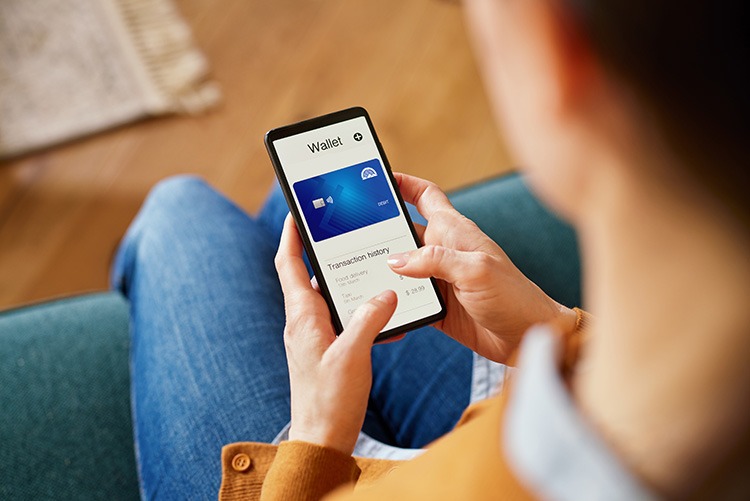 Enjoy freedom and security with a digital wallet. Make purchases without carrying cash or IDs and stay protected with contactless technology. Your smartphone or smartwatch acts as your wallet, and you make purchases by tapping or holding your device near a payment terminal.
Simply add your First National 1870 Visa® debit card to your digital wallet to securely make online and in-store purchases in seconds. Digital wallets use encryption and tokenization to protect your payment information.
Digital Wallet Benefits:
- Enhanced security you can trust – your debit card number isn’t used
- Quicker checkout – pay for purchases in seconds
- Payment convenience – eliminates the need to carry physical cards
- Accepted at millions of merchants worldwide
- Track spending easily through our online and mobile banking platform - get instant purchase notifications, helpful in managing your budget
- Pairs perfectly with our checking accounts - find an account that works for you
Checking Accounts
The following navigation utilizes arrow, enter, escape, and space bar key commands. Left and right arrows move through main tier links and expand / close menus in sub tiers. Up and Down arrows will open main tier menus and toggle through sub tier links. Enter and space open menus and escape closes them as well. Tab will move on to the next part of the site rather than go through menu items.
How to Add Your Debit Card to Digital Wallet

Step 1
Open Apple Pay, Google Pay, or Samsung Wallet

Step 2
Add your First National 1870 Visa® Debit Card

Step 3
Start tapping to pay!
How to Shop In-Store with Digital Wallet:
- Add your First National 1870 Visa® debit card to your preferred digital wallet app
- Look for the Contactless Symbol in-stores
- Hold your phone against the terminal at checkout
How to Shop Online with Digital Wallet:
- Add your First National 1870 Visa® debit card to your preferred digital wallet app
- While shopping, look for your preferred wallet’s logo at checkout
- When checking out, simply click and log in with your ID to pay
Digital Wallet Frequently Asked Questions
-
Digital wallets utilize contactless payment technology from an eligible smartphone or smartwatch to allow merchants to receive payments. Popular digital wallet providers include Apple Pay®; Google Pay™ and Samsung Wallet™.
-
A digital wallet creates an electronic version of your First National 1870 Visa® debit card and assigns a device account number or virtual account number for added protection. Once created, you can use your digital wallet at participating merchants that accept payment from your digital wallet provider.
-
All eligible First National 1870 Visa® debit cardholders can take advantage of digital wallet by downloading the app from your preferred app provider and adding your First National 1870 Visa® debit card as a payment method.
-
Digital wallets offer multiple layers of protection for every transaction. When a payment is made in-store or online, a token is generated, so your card number won’t be stored on your device or with merchants. Some wallets also use biometric data like a fingerprint or facial recognition to confirm it's really you making the transaction.
-
All digital wallet purchases appear instantly in your First National 1870 mobile app. You'll receive real-time notifications and can track spending across all your accounts.
-
Absolutely. Digital wallet requires your fingerprint or Face ID for every transaction, no one can use it without your biometric data. Plus, you can remotely disable your digital wallet through your phone's Find My feature. Unlike a stolen physical card, thieves can't access your funds.
Lost your card? about Is my money safe if my phone is stolen? -
Most digital wallets need battery power to work. We recommend keeping your physical First National 1870 Visa® debit card as a backup, especially during travel.
-
Anywhere you see the contactless payment symbol, available at over 90% of US retailers.
Apple, the Apple logo and Apple Pay are trademarks of Apple Inc,. registered in the U.S. and other countries.
Google Pay is a trademark of Google LLC. Android, Google Pay, and the Google Logo are trademarks of Google LLC.
Samsung and Samsung Pay are registered trademarks of Samsung Electronics Co., Ltd. Samsung Pay is available on select Samsung devices.
The Contactless Indicator mark, consisting of four graduating arcs, is a trademark owned by and used with permission of EMVCo, LLC.
Visa is a registered trademark of Visa International Service Association and used under license. This card is issued by Sunflower Bank, N.A. pursuant to a license from Visa USA Inc.